The creative landscape of 2025 has been irrevocably changed by Artificial Intelligence, and at the forefront of this revolution are free AI image generator tools. Gone are the days of needing expensive software or specialized design skills to create compelling visuals. Today, anyone can become an AI art creator online with just a few descriptive words—a text prompt.
What is an AI Image Generator?
An AI image generator is a software application powered by large language and diffusion models (like DALL·E 3, Stable Diffusion, or Gemini) that transforms text descriptions into unique, realistic, or artistic visual images.
How They Work and Why They’re Popular in 2025
These tools operate using a process called “diffusion.” Essentially, the AI model starts with a noise pattern and gradually refines it based on the words in your prompt, “diffusing” the information into a cohesive image. The resulting speed, quality, and precision are why they’ve become indispensable in 2025.
Use Cases are Everywhere:
- Content Creation: Bloggers and writers use them to create royalty-free featured images and custom graphics instantly.
- Marketing & Advertising: Generating unique social media visuals, banner ads, and product mockups for campaigns without a photoshoot.
- Design & Prototyping: Rapidly visualizing concepts for logos, website layouts, and character designs.
- Social Media: Creating personalized, viral-ready posts and artistic avatars.
The availability of powerful free AI image generator options means that barriers to entry for high-quality visual creation have virtually disappeared, making them a must-have tool for every creator.
Top 10 Free AI Image Generators in 2025
Here is a quick look at the best free AI image generators available in 2025, highlighting their core features and ideal use cases.
| Tool Name | Free Plan Availability | AI Model Used (Primary) | Output Quality | Ease of Use | Best For |
| Bing Image Creator | Daily “Boosts” (Unlimited Relaxed) | DALL·E 3 | Very High | High | Social Media, Realistic Photos |
| Leonardo AI | 150 Daily Tokens | Custom Models (e.g., Alchemy, Phoenix, SDXL) | High | Medium | Character Design, Game Assets |
| Canva AI Image Generator | Limited Free Generations | Stable Diffusion, DALL·E, Custom | Medium | Very High | Integrated Marketing & Design |
| ChatGPT Image Generator | Daily Free Generations (GPT-4o) | DALL·E 3 | Very High | High | Conversational Prompting, Text in Image |
| Nano banana | Free Trial/Daily Credits | Gemini 2.5 Flash Image | Exceptional | High | Editing, Consistency, Realism |
| Playground AI | Unlimited Daily Generations | SDXL, Proprietary, DALL·E 3 (Paid) | High | Medium | Commercial Use, Wide Model Choice |
| NightCafe Studio | Daily Free Credits | SDXL, DALL·E 3, VQGAN+CLIP | High | Medium | Diverse Styles, Community Contests |
| Fotor AI Image Generator | Daily Credits | Proprietary & Third-Party (Incl. nano banana) | Medium-High | High | Photo Editing & Enhancements |
| Craiyon | Unlimited Free Generations | Craiyon Model | Low-Medium | Very High | Fun, Abstract, Quick Concepts |
| Lexica.art | Limited Free Generations | Custom Lexica Aperture & SD Models | High | High | Prompt Inspiration, Simple Generation |
10 Free AI Image Generators
1. Bing Image Creator
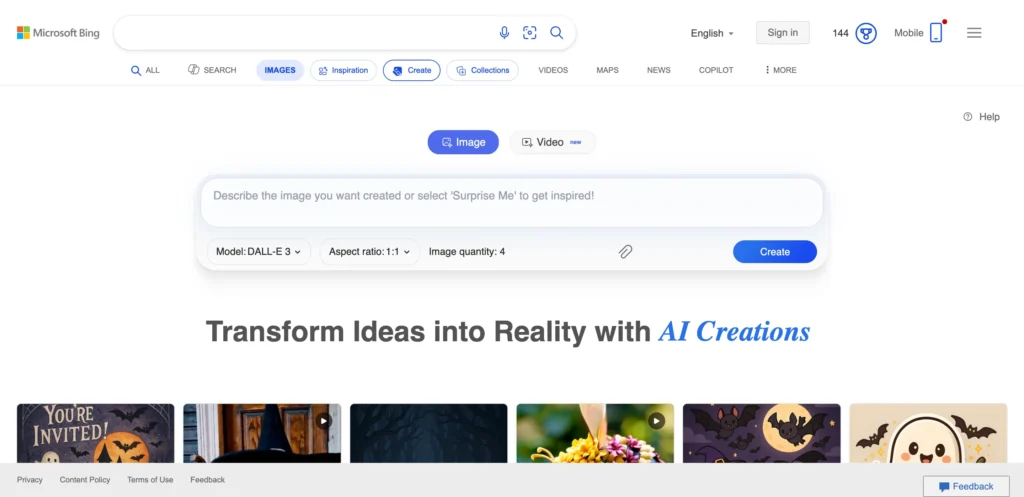
Bing Image Creator, often accessed via Microsoft Designer or Copilot, is one of the most powerful and accessible free AI photo generator free tools, leveraging the cutting-edge DALL·E 3 model. It excels at understanding complex, conversational prompts and accurately rendering text within images.
Key Features:
- Powered by OpenAI’s DALL·E 3, known for realism and complex scene understanding.
- Generates four variations per prompt for easy selection.
- Integrates seamlessly with the Microsoft ecosystem (Copilot, Designer).
- Allows for easy refinement of images via chat prompts.
Pros:
- Best-in-class prompt adherence and image quality.
- Excellent at rendering legible text inside images.
- Generous daily “Boosts” (fast generation) plus unlimited “relaxed” generation.
Cons:
- Requires a Microsoft account.
- Watermark may appear on some outputs.
- Focuses primarily on photorealism or stylized art.
Pricing / Free Plan Details:
Completely free to use with a daily allocation of “Boosts” for faster generation. Once boosts are depleted, generation continues for free at a slightly slower “relaxed” speed.
Best Use Cases:
High-quality social media posts, blog headers, realistic product mockups, and visuals requiring accurate text elements.
2. Leonardo AI
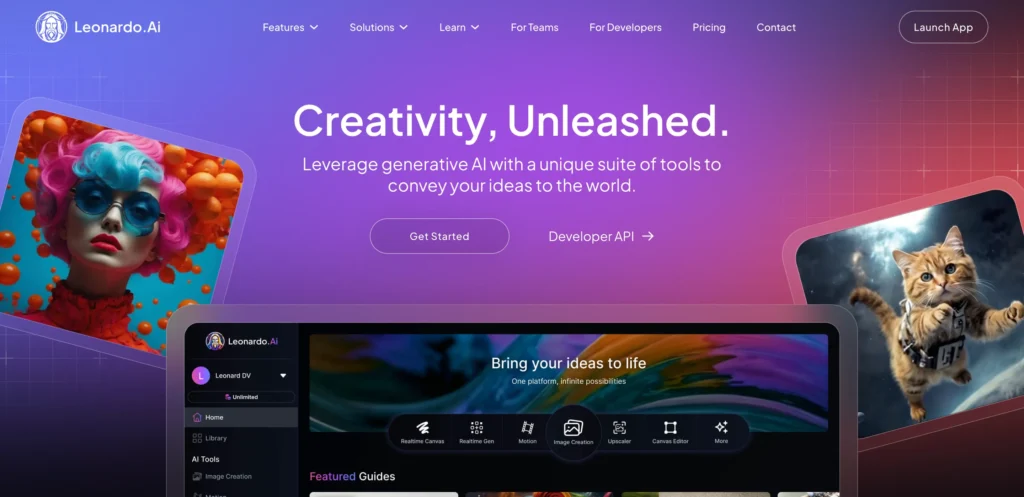
Leonardo AI has quickly become the go-to free AI image generator for artists and designers who value granular control and community-driven models. It provides a daily allowance of “Fast Tokens” to generate images using various in-house and fine-tuned community models.
Key Features:
- Access to powerful in-house models like Alchemy and Phoenix for superior quality.
- 150 daily free tokens that reset every 24 hours.
- Advanced control options like Image2Image, Prompt Magic, and Element Control.
- Large community model library for specific aesthetics (e.g., character design, landscapes).
Pros:
- Deep control over generation settings (tiling, resolution, style).
- Perfect for generating game assets and detailed character designs.
- Tokens allow for experimentation across multiple powerful models.
Cons:
- Learning curve is slightly steeper than simpler tools.
- Free images are public by default.
- Best models and features consume more tokens.
Pricing / Free Plan Details:
Generous free plan offering 150 daily tokens (enough for 20-30 high-quality images). Paid plans start at around $12/month for more tokens and features like private generation.
Best Use Cases:
Concept art, character design, complex illustrations, and generating textures/assets for game development.
3. Canva AI Image Generator
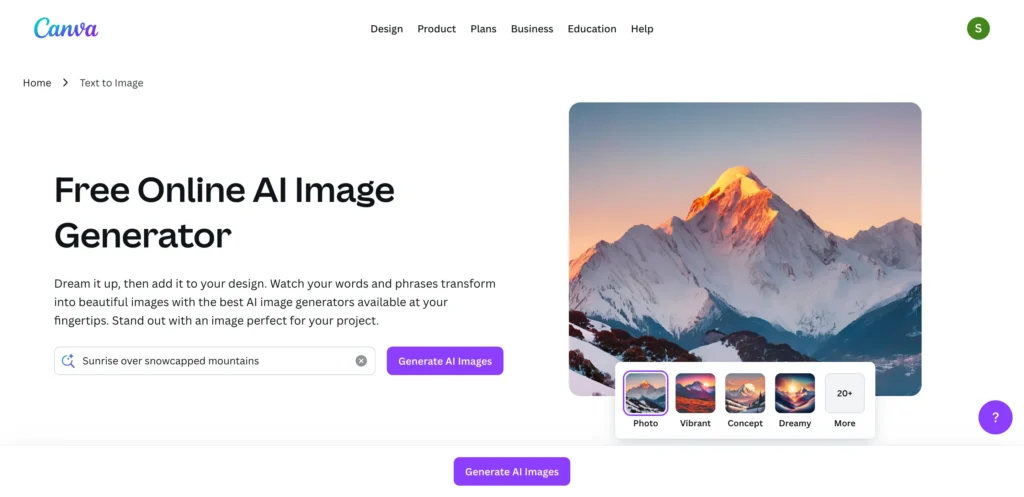
Canva’s AI art creator online is integrated directly into its design platform, making it the top choice for marketers and content creators who need to move quickly from generation to final design. It is accessible through Canva’s “Magic Studio” tools.
Key Features:
- Seamlessly integrated into the Canva editor (perfect for adding to flyers, presentations, etc.).
- Simple, intuitive interface perfect for non-designers.
- Options to select different styles (Photo, Art, Drawing, 3D).
Pros:
- Best for workflow integration with other design elements.
- Extremely beginner-friendly with zero learning curve.
- Commercial use is permitted under Canva’s Free License.
Cons:
- Limited number of free generations per user.
- Image quality can be less consistent than dedicated tools.
- Fewer advanced generation controls.
Pricing / Free Plan Details:
The free Canva account offers a limited number of “Magic Media” uses per day/month. Paid plans (Canva Pro, starting around $12.99/month) significantly increase this limit.
Best Use Cases:
Social media graphics, presentation slides, quick flyers, and integrated marketing visuals.
4. ChatGPT Image Generator
The ChatGPT Image Generator, powered by DALL·E 3 and now integrated with the free GPT-4o model, is a game-changer for conversational creation. Instead of constantly adjusting settings, you can simply talk to the AI to refine your image.
Key Features:
- Uses the highly advanced DALL·E 3 model for detailed, context-aware images.
- Generates and refines images directly within the chat interface.
- Excels at complex prompt interpretation and style variations.
Pros:
- Highly accurate prompt comprehension and easy to make edits.
- The conversational nature simplifies complex creations.
- Consistent high-quality output.
Cons:
- Requires the image generation feature to be available in your free plan version.
- No advanced settings such as ControlNet or upscaling.
- Daily free generation limits apply.
Pricing / Free Plan Details:
The image generation feature is now available to all free users of ChatGPT (using the GPT-4o model) with a daily limit on generations. Unlimited, high-volume generation requires a ChatGPT Plus subscription ($20/month).
Best Use Cases:
Creative brainstorming, images requiring minor prompt revisions, and high-quality artistic or photorealistic visuals.
5. Nano banana
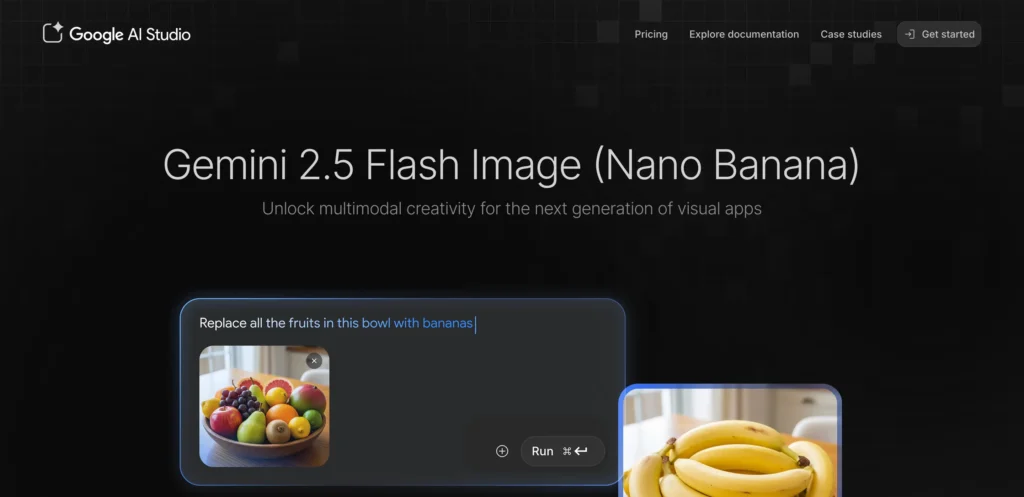
Nano banana, known as Google’s Gemini 2.5 Flash Image model, has emerged in 2025 as the leader in editing and consistency. It’s often integrated into platforms like Fotor and Krea, where its powerful features, especially for editing and character consistency, shine.
Key Features:
- Unmatched character and style consistency across multiple generated images.
- Revolutionary in-painting and out-painting capabilities using natural language.
- Exceptional image-to-image transformation and photo-editing features.
- Lightning-fast generation speed.
Pros:
- Superior control for precise edits and background swaps.
- Best-in-class for maintaining a subject’s identity and appearance.
- Highly realistic and photorealistic outputs.
Cons:
- Primarily accessed through third-party platforms (like Fotor or Krea) which set their own credit limits.
- Free usage is typically limited to a trial or daily credit system.
- Full, native Google integration may still be evolving.
Pricing / Free Plan Details:
Free access is typically offered as a limited-time trial or a small number of daily credits/tokens on platforms like Fotor or Krea. Full, high-volume use requires a subscription to the hosting platform.
Best Use Cases:
Product photography mockups (swapping models/backgrounds), consistent branding visuals, and professional photo editing/enhancement.
6. Playground AI
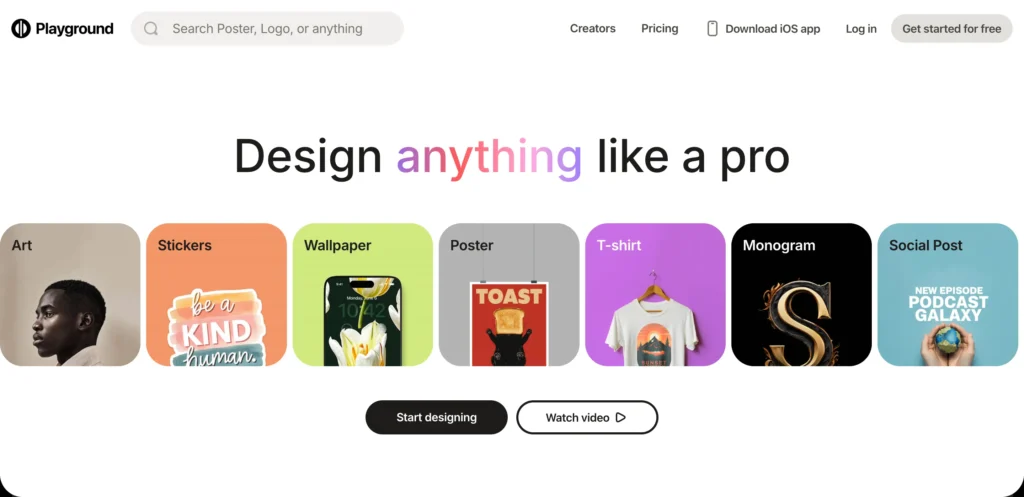
Playground AI is one of the most generous best AI image generator tools 2025 for commercial use, offering thousands of free generations daily. It provides an intuitive interface and allows users to choose between various underlying models.
Key Features:
- Up to 1,000 free images per day for commercial use (with certain restrictions).
- Allows choice between Stable Diffusion XL (SDXL) and other models.
- Includes canvas editing tools for in-painting and out-painting.
- “Filter” presets for instant style changes (Cinematic, Photography, Digital Art).
Pros:
- Very high free usage limit, making it excellent for experimentation.
- User-friendly interface with essential creative controls.
- Commercial use is permitted.
Cons:
- DALL·E 3 is a paid-only option.
- Free plan has a resolution limit.
- Output quality can vary widely depending on the model chosen.
Pricing / Free Plan Details:
Offers a generous free plan with 1,000 generations per day (SDXL), public images, and commercial use. Paid plans start at $15/month for private generation and higher quality/model access.
Best Use Cases:
High-volume testing, commercial content creation, rapid prototyping, and general AI art generator use.
7. NightCafe Studio
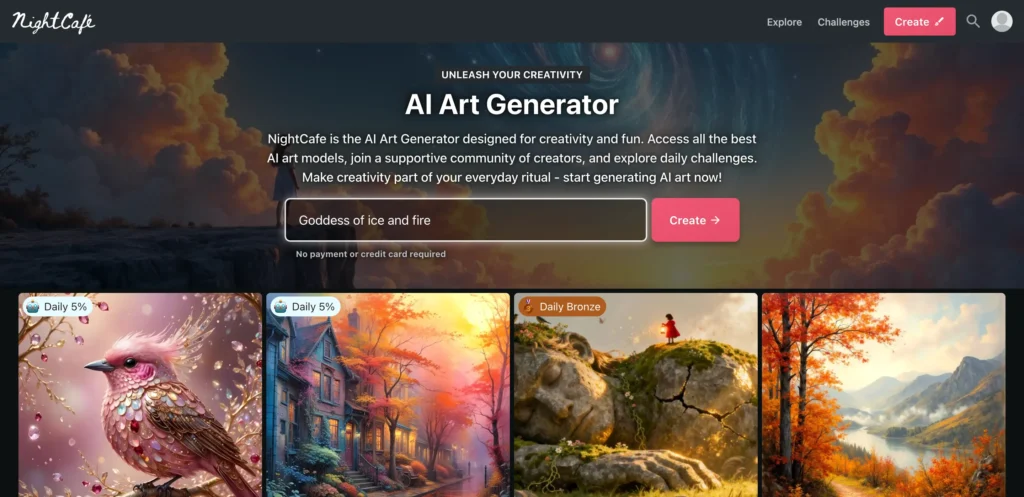
NightCafe Studio is built as a community-driven AI art generator, specializing in multiple styles and algorithms. It’s perfect for artists and hobbyists who want to explore different aesthetic territories.
Key Features:
- Supports a wide range of models, including SDXL, DALL·E 3 (paid), VQGAN+CLIP, and StyleGAN.
- Strong focus on community features, including daily challenges and contests.
- Detailed style transfer capabilities.
Pros:
- Excellent tool for style experimentation and high-quality artistic results.
- Engaging community platform for inspiration and learning.
- Images created with free credits can be used commercially.
Cons:
- Free usage is credit-based, which can run out quickly.
- The variety of models can be overwhelming for beginners.
- Best models often require more credits.
Pricing / Free Plan Details:
Provides daily free credits and more credits can be earned by participating in community challenges and sharing your work. Paid plans start at $9.99/month for additional credits.
Best Use Cases:
Exploring abstract and surreal art styles, digital painting, and artistic challenges.
8. Fotor AI Image Generator
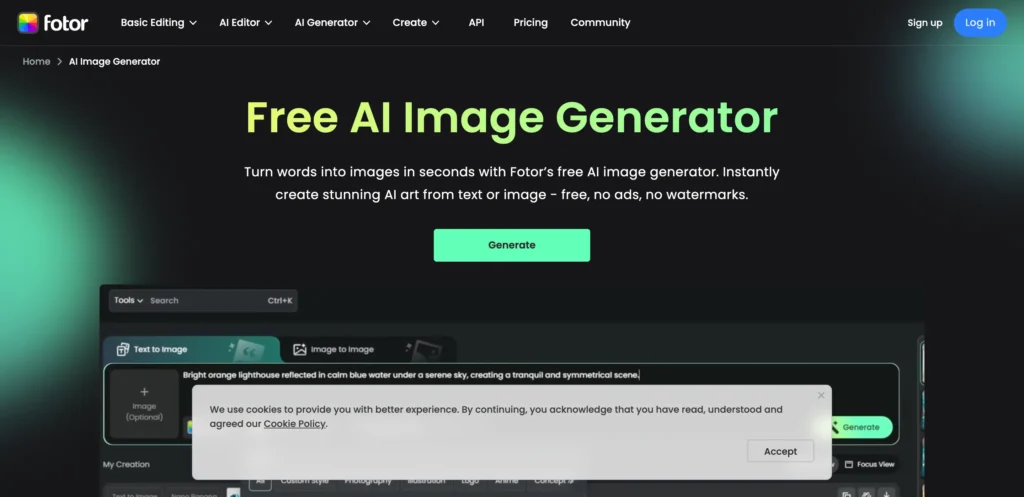
Fotor is primarily known as a versatile photo editing suite, and its AI photo generator free tool is a powerful addition. It’s a great all-in-one platform for generating and then immediately editing your visual content.
Key Features:
- Generates images via text-to-image and supports advanced models like nano banana.
- Built-in editing tools (cropping, filters, text overlays) are immediately available.
- Supports various creative tools like AI face swap, background remover, and photo enhancement.
Pros:
- Ideal for users who need both generation and editing in one place.
- Simple, clean interface for quick creation.
- Integration of advanced models like Nano Banana.
Cons:
- Quality of proprietary models can be inconsistent.
- Free version limits high-resolution exports.
- Daily free credits are limited.
Pricing / Free Plan Details:
Offers a limited number of daily free credits for AI generation. The basic version is free, while Fotor Pro ($8.99/month) provides more credits and full access to editing features.
Best Use Cases:
Quick edits for social media, professional headshots, and combining AI generation with traditional photo enhancement.
9. Lexica.art
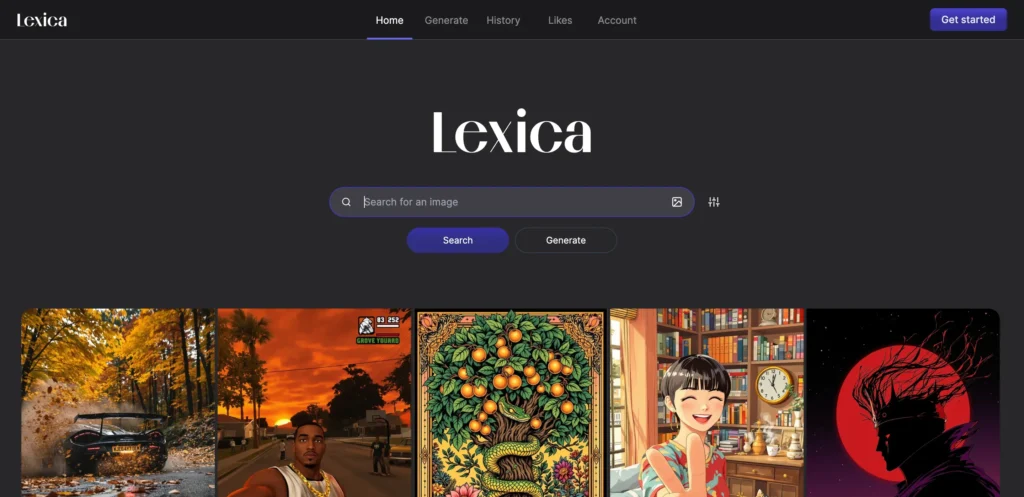
Lexica.art started as a searchable gallery for Stable Diffusion prompts and has evolved into a fully-fledged, simple AI art creator online using its proprietary models, primarily Aperture. It remains one of the fastest and easiest ways to go from concept to image.
Key Features:
- Extensive, searchable gallery of millions of AI-generated images and their prompts.
- Fast generation speed using the Lexica Aperture model.
- Simple, minimalist interface focused purely on text-to-image generation.
- Allows upscaling and variations of previous generations.
Pros:
- Fantastic for prompt inspiration and discovering new styles.
- Extremely fast generation of high-quality, aesthetically pleasing images.
- Very easy to use; great for beginners.
Cons:
- Limited number of free generations per month.
- Fewer fine-tuning controls than other platforms.
- Results often lean toward a specific “Lexica style.”
Pricing / Free Plan Details:
Offers 100 free generations per month with no watermarks. Paid plans start at $8/month for more generations, private mode, and higher resolution.
Best Use Cases:
Prompt discovery, quick abstract art, and generating aesthetically polished, high-resolution initial concepts.
10. Craiyon
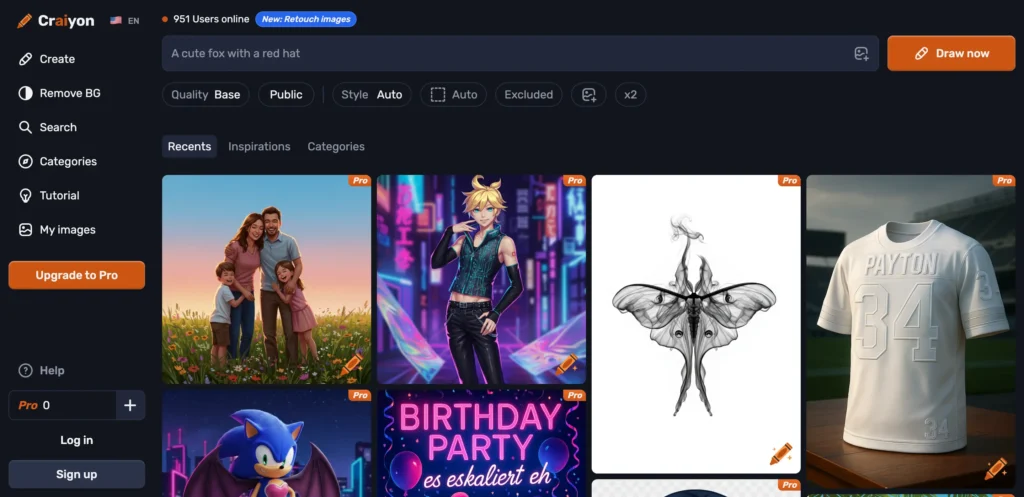
Craiyon is the original viral free AI image generator, known for its quirky, often humorous, and distinctive visual style. While its output quality is not as photorealistic as DALL·E 3 or nano banana, its unlimited free use makes it excellent for quick, fun, or abstract ideas.
Key Features:
- Completely free and offers unlimited generations.
- Generates a grid of nine images for every prompt.
- No account or sign-up required to use the service.
- Generates quickly (though sometimes with a queue).
Pros:
- Truly unlimited and completely free access.
- Great for generating surreal, abstract, or funny images.
- Extremely simple to use with just one text box.
Cons:
- Lower image quality and fidelity compared to competitors.
- Images often contain distorted faces and features.
- Watermark in the bottom right corner.
Pricing / Free Plan Details:
100% free with unlimited generation (though a subscription removes ads and speeds up generation).
Best Use Cases:
Meme creation, abstract art concepts, quick and humorous visuals, and infinite experimentation.
Which AI Image Generator is Best for You?
Choosing the best AI image generator tools 2025 depends entirely on your needs. Here’s a breakdown by use case:
Best for Beginners
Canva AI Image Generator or Bing Image Creator. Both are integrated into familiar platforms, are incredibly easy to use, and offer high-quality results with minimal prompt engineering knowledge required. Canva is better if you need to integrate the image into a design right away; Bing is better for conversational prompting and quality.
Best for Commercial Use
Playground AI and Leonardo AI. Playground AI is the most generous with 1,000 free commercial generations daily, making it ideal for high-volume content. Leonardo AI is excellent for professionals needing control over assets like character design and offers a high token allowance.
Best for Artists
Leonardo AI and NightCafe Studio. Leonardo provides the deepest control with advanced models and tools like Image2Image and Prompt Magic. NightCafe is ideal for exploring a wide variety of advanced artistic models and engaging with a creative community.
Best for Fast Generation & Editing
nano banana (via Fotor/Krea) and Lexica.art. Lexica is lightning-fast for new concepts, especially if you get prompt inspiration from its gallery. nano banana, though often credit-based, is unparalleled when it comes to quick, precise, natural-language editing of existing photos.
Final Thoughts
The year 2025 has brought an unprecedented level of quality, speed, and accessibility to free AI image generator tools. From the powerful realism of Bing Image Creator (DALL·E 3) to the artistic control of Leonardo AI, creators now have an entire digital art studio at their fingertips, entirely for free.
Whether you’re a seasoned marketer needing a fresh visual for a campaign, a blogger looking for a custom feature image, or an artist exploring new mediums, there is a perfect AI photo generator free tool on this list for you.
Don’t wait! The only way to master the art of AI prompting is through practice. Start creating stunning AI art today! Explore these best AI image generator tools 2025 and unlock your full creative potential without spending a dime. Dive into the world of AI art creator online and see your imagination come to life!