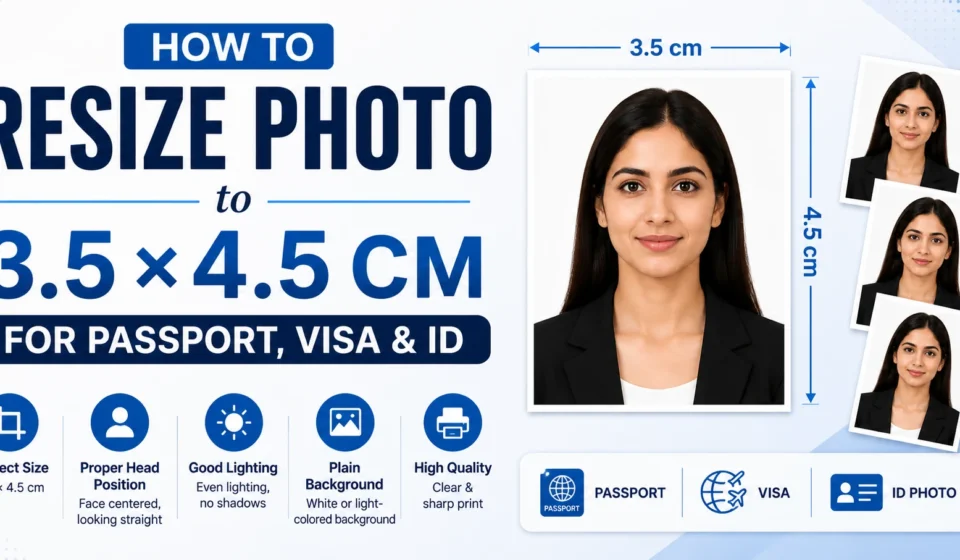
You filled out the application, scanned every page, and then the upload box asks for a photo that is exactly 3.5 by 4.5 centimeters. Your selfie is 4032 by 3024 pixels and weighs four megabytes. This guide shows you how to convert any photo into a clean 3.5×4.5 cm (35×45 mm) passport or visa photo in under a minute, for free, without installing anything. We cover India Passport Seva, Schengen visa, UK, Australia, and the specific traps (head height, background color, file size) that get applications rejected.
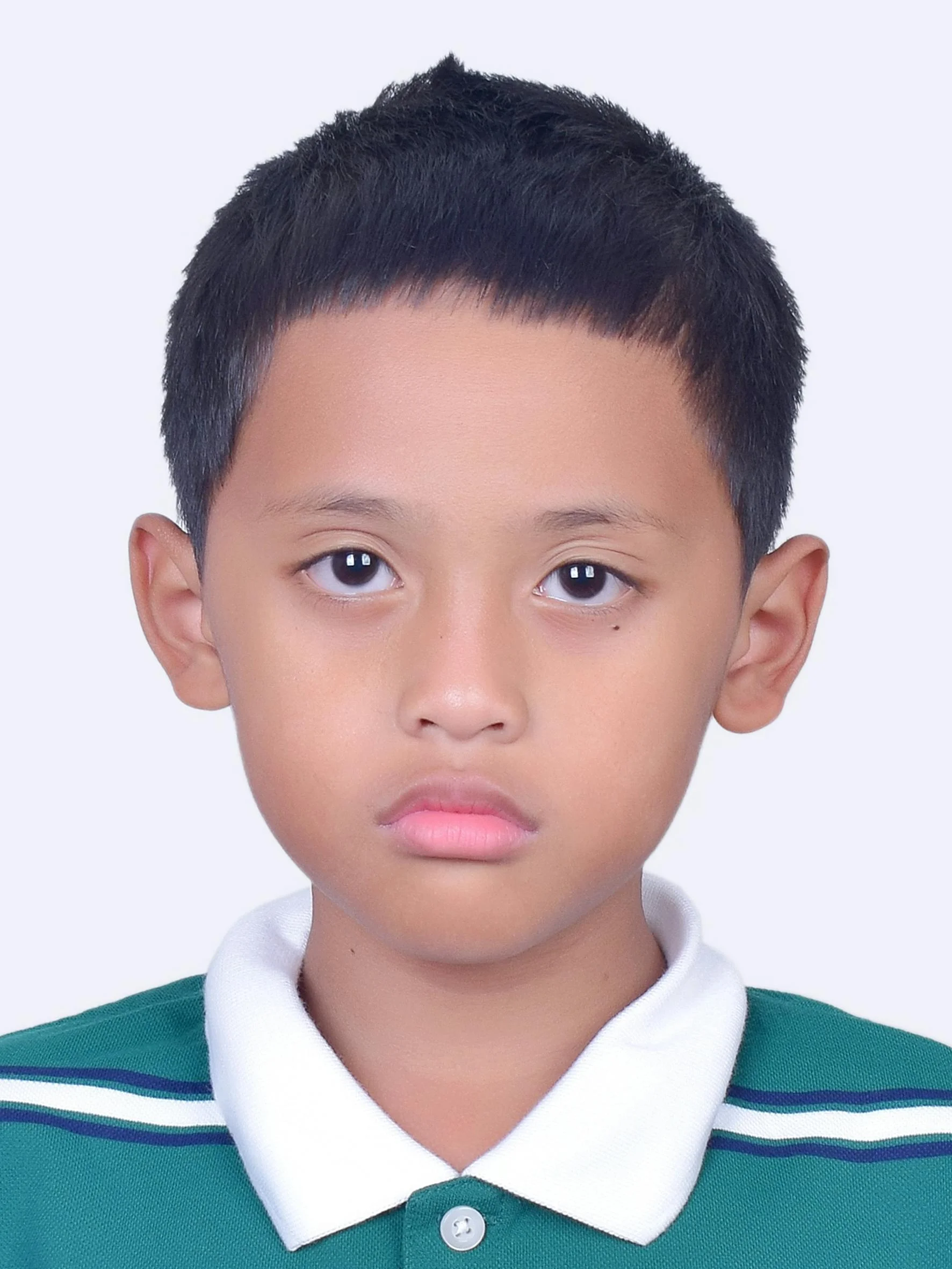
Table of Contents
- What Is a 3.5×4.5 cm Photo?
- Countries That Use 35×45 mm Photos
- Quick Start: Resize in 30 Seconds
- India Passport (Passport Seva) Specs
- Schengen Visa Specs
- Step-by-Step: How to Resize Your Photo
- Common Reasons Your Photo Gets Rejected
- Pixel Dimensions, DPI, and File Size Explained
- Background: White, Light Grey, or Off-White?
- Printing Your 3.5×4.5 cm Photo at Home or a Shop
- FAQ
What Is a 3.5×4.5 cm Photo?
3.5 x 4.5 cm (also written 35 x 45 mm) is one of the two dominant passport photo sizes in the world. The other is the US 2 x 2 inch square. If your application is for India, the UK, the European Union, the Schengen Area, Australia, or Japan, the size you need is almost certainly 35×45 mm. The format predates digital photography and was standardized to match printed identity documents, which is why it has stuck around even as everything else moved online.
A correctly produced 35×45 mm digital photo at 300 DPI works out to roughly 413 x 531 pixels. India’s Passport Seva specifically asks for 630 x 810 pixels, which is 35×45 mm at about 457 DPI, giving a sharper print result on official forms.
Countries That Use 35×45 mm Photos
The same 35×45 mm size is accepted across a long list of countries, although individual requirements (head height, background color, file size) differ. A quick overview:
- India (passport, OCI card, PAN card, Aadhaar in some flows)
- Schengen Area (Austria, Belgium, Croatia, Czech Republic, Denmark, Estonia, Finland, France, Germany, Greece, Hungary, Iceland, Italy, Latvia, Liechtenstein, Lithuania, Luxembourg, Malta, Netherlands, Norway, Poland, Portugal, Slovakia, Slovenia, Spain, Sweden, Switzerland)
- United Kingdom
- Australia
- Japan
- South Korea
- Most ICAO-aligned passport offices outside the United States and Canada
Notable exceptions: the United States uses 2×2 inches (51×51 mm) and Canada uses 50×70 mm. If you are applying for those, this size will not work.
Quick Start: Resize in 30 Seconds
If you want to do this manually in any image editor, the rules are the same: crop to a 7:9 aspect ratio (35 wide by 45 tall), export at 300 DPI or higher, save as JPG or PNG with a white or light grey background. Most application portals accept either JPG or JPEG.
India Passport (Passport Seva) Specs
The Ministry of External Affairs (MEA), through the Passport Seva system, sets these exact requirements for new passports, renewals, and re-issues:
- Size: 35 x 45 mm (3.5 x 4.5 cm)
- Pixel dimensions: 630 x 810 pixels
- Background: plain white
- Head height: 23 to 27 mm (face fills 80 to 85% of the frame)
- Top of head: at least 3 mm from the top edge of the photo
- Color: color only, no black and white
- Recency: taken within the last 6 months
- Expression: neutral, mouth closed, eyes open and looking at the camera
- Glasses: not allowed, including transparent glasses
- Headwear: not allowed except for religious reasons
- Selfies: not accepted; someone else must take the photo
Passport Seva will reject applications with photos that have shadow on the background, visible jewelry that obscures features, or pixelation from over-compressed JPGs. A typical safe file size is between 20 KB and 300 KB.
Schengen Visa Specs
Schengen requirements are stricter on background and slightly looser on head height. The same physical size is accepted, but the consulate can reject a photo that fits India’s rules. Key differences:
- Size: 35 x 45 mm (same)
- Background: light grey or off-white, NOT pure white (white can cause exposure problems and is technically non-compliant in most member states)
- Face coverage: 70 to 80% of the photo
- Face height: 32 to 36 mm from chin to crown
- Resolution: at least 400 DPI for printed photos
- Expression: neutral, full-face view, mouth closed
- Quantity: two identical printed copies for the in-person appointment
If you are unsure which background a specific embassy expects, default to a light grey. India accepts both, and the Schengen Visa Code recommends “uniform light-coloured background,” which a light grey satisfies and a stark white does not.
Step-by-Step: How to Resize Your Photo
1. Take a clean source photo
Stand a meter in front of a plain wall (white, off-white, or light grey). Face natural daylight from a window. Have someone else hold the phone at eye level, about an arm’s length away. Keep your shoulders square, head straight, mouth closed, eyes on the lens. Avoid harsh shadows on the wall behind you. If the wall has a tint, you can replace the background later with a background-remover tool, but a clean original always beats a heavily edited one.
2. Open the Pixellize 3.5×4.5 cm resizer
Visit pixellize.com/resize-image-to-3-5cmx4-5cm. The tool runs entirely in your browser, which means your photo never gets uploaded to a server. That privacy matters if the photo is for an official document.
3. Upload your source photo
Click the upload area or drag your photo onto it. The tool accepts JPG, PNG, and most common phone camera formats. There is no file size limit on the upload because the work happens locally.
4. Position the face inside the crop frame
A 7:9 crop box appears on the photo. Drag and zoom until your face fills roughly 75 to 80% of the frame and the top of your head sits a few millimeters below the top edge. For India, your head should be larger in the frame. For Schengen, slightly smaller. The proportions match official guidance.
5. Download the resized photo
Hit Download. You get a 35×45 mm photo at 300 to 600 DPI ready for upload. Save the file with a clear name like passport_2026.jpg so you can find it again when the form asks for it.
6. Check the file size against the portal limit
Most government portals cap upload sizes. If yours is too large, use a separate compressor like Pixellize’s reduce-image-size-in-KB tool to bring it down to the exact limit (20 KB, 50 KB, 100 KB are common).
Common Reasons Your Photo Gets Rejected
Most rejections at Indian PSKs and Schengen consulates come down to the same five mistakes. Run through this checklist before you upload.
- Shadow behind the head. A flash inside a room throws a shadow on the wall. Use natural light or two soft lights from each side.
- Head too small or too large. If your head fills less than 70% of the photo, automated systems flag it. If it fills more than 85%, you risk losing the chin or hairline.
- Smile or open mouth. ICAO and most modern passport offices now require a neutral expression. A wide smile is the single most common rejection on new biometric passports.
- Glasses (even clear ones). Old passports allowed thin frames. Most countries no longer do, including India since 2018.
- Over-compressed file. Forcing a phone photo down to 5 KB causes blocky JPEG artifacts that fail biometric checks. Aim for at least 20 KB.
- Wrong background color. Pure white may be fine in India, not in Schengen. Light grey is the safer default for international applications.
- Selfie angle. Selfies taken at arm’s length distort proportions (big nose, small ears). Always have someone else take the shot.
Pixel Dimensions, DPI, and File Size Explained
Government portals often ask for both physical size (mm or cm) and pixel size, which confuses people. Here is the simple relationship:
- 300 DPI (minimum acceptable): 35×45 mm becomes 413 x 531 pixels.
- 457 DPI (India Passport Seva standard): 35×45 mm becomes 630 x 810 pixels.
- 600 DPI (printed Schengen/UK): 35×45 mm becomes 827 x 1063 pixels.
If a portal asks for exact pixel sizes, set those numbers in the resize tool. If it only asks for a size in mm or cm, default to 600 DPI for the cleanest result when printed and the safest digital quality. Aim for a JPG between 20 KB and 300 KB.
Background: White, Light Grey, or Off-White?
The single most argued-about part of passport photos. The official guidance:
- India Passport Seva: plain white.
- UK Passport Office: light grey or cream, NOT pure white.
- Schengen Visa Code: uniform light coloured, light grey preferred.
- Australia: plain light-coloured background, no white.
- Japan: plain background, no specific color, but light grey is universally accepted.
If you are making one photo for multiple applications, a soft light grey is the most widely accepted choice. India will accept light grey even though it requests white, because grey is closer to grey than to a colored background. Most modern background-changer tools let you preview both before downloading.
Printing Your 3.5×4.5 cm Photo at Home or a Shop
Many consulates and PSKs still require printed photos at the appointment. Two options:
Print at home
Use a 4×6 inch photo paper and arrange six identical 35×45 mm photos in a grid using any image editor or a free template. Print at 600 DPI on your color printer in photo mode (not draft). Cut along the gridlines with a sharp craft knife and ruler, not scissors, for clean edges.
Print at a shop
Walmart, Costco, Snapfish, Walgreens (US), Boots (UK), and almost every photo shop in India offer “passport photo” prints. Bring the JPG on your phone or as an email attachment. Tell them the exact size: 35×45 mm. Some shops default to US 2×2 inches if you do not specify, which is the wrong size for any country in this guide.
Frequently Asked Questions
What is the pixel size for a 3.5×4.5 cm photo?
At 300 DPI, a 3.5×4.5 cm photo is 413 x 531 pixels. India Passport Seva specifically asks for 630 x 810 pixels, which is the same physical size at about 457 DPI. For the sharpest print result, use 600 DPI, which gives 827 x 1063 pixels.
Can I take a selfie for my passport photo?
Officially no. India Passport Seva, Schengen consulates, and the UK Home Office all state that selfies are not accepted because the lens distortion at arm’s length warps facial proportions. Have someone else take the photo at about a meter away, with the phone or camera at your eye level.
Can I smile in a 3.5×4.5 cm passport photo?
No, not in modern applications. ICAO-compliant biometric passports require a neutral expression with the mouth closed. A faint, closed-mouth smile may pass; a wide open-mouth smile will not. This rule applies to India, Schengen, the UK, Australia, and Japan.
What background color should I use for a 35×45 mm photo?
For India only, plain white is the official requirement. For Schengen, UK, and Australia, light grey or off-white is preferred and pure white is sometimes rejected. If you are making one photo for multiple applications, choose light grey: it passes every requirement.
How small can the file size be without getting rejected?
A safe range is 20 KB to 300 KB. Below 20 KB you get blocky JPEG compression artifacts that fail automated photo-quality checks. India Passport Seva typically accepts up to 1 MB. Schengen portals vary; check the specific consulate’s upload requirement.
Is the Pixellize 3.5×4.5 cm resizer free?
Yes. The tool is free, has no signup, no watermark, and no upload limit. It processes the photo entirely in your browser, so the file never leaves your device. That client-side processing is also why it is faster than most server-based passport photo tools.
Does 3.5×4.5 cm work for US passport or visa photos?
No. The United States requires 2×2 inches (about 51×51 mm) for both passports and visas. Canada uses 50×70 mm. If your application is for either country, do not use this size.
Bottom Line
A 3.5×4.5 cm passport photo is not complicated; it is just unforgiving. Get the dimensions right, the head height right, the background neutral, and the expression closed, and the application processes on the first try. Get one of those wrong and you are paying a fee and waiting another two weeks. The free Pixellize 35×45 mm resizer does the dimension and DPI part automatically, which leaves you only the easy part: take a clean source photo with a plain wall behind you and you are done.
For more free image and PDF utilities, head to Pixellize. Or check the rest of our guides at Toolifye.